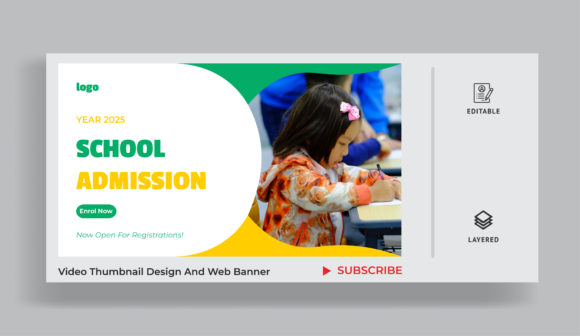
Strategic Visuals: Evaluating Web Banner and Thumbnail Template Design for Educational Video Marketing
In the crowded digital landscape of educational marketing, the difference between a prospective student clicking through to an admission video or scrolling past often comes down to a fraction of a second. This is where Web Banner and Thumbnail Template Design becomes a critical component of any recruitment strategy. While high-quality videography captures attention over time, static visual assets serve as the gatekeepers, determining whether that video gets watched in the first place. Understanding the nuances of these design elements is essential for administrators, marketers, and content creators who need to maximize engagement without necessarily possessing advanced graphic design skills.
The Distinct Roles of Banners and Thumbnails
Although they are often grouped together, web banners and video thumbnails serve fundamentally different purposes within the user journey. A web banner is typically a promotional graphic placed on a website, social media feed, or display network. Its primary goal is brand awareness and click-throughs to a landing page. In contrast, a thumbnail is a preview image specifically attached to a video file on platforms like YouTube, Vimeo, or institutional portals. It must convey the essence of the moving content in a single, static frame.
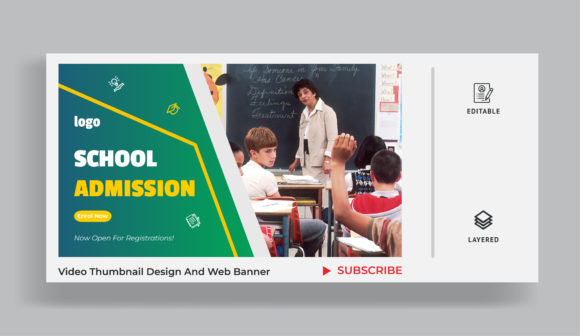
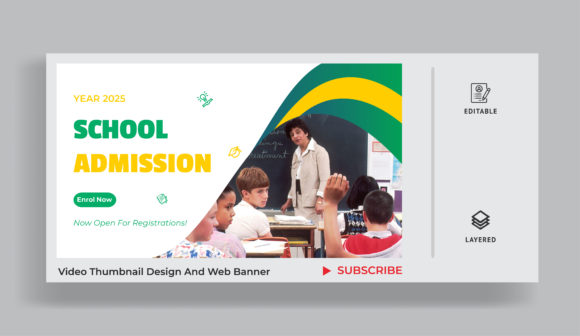
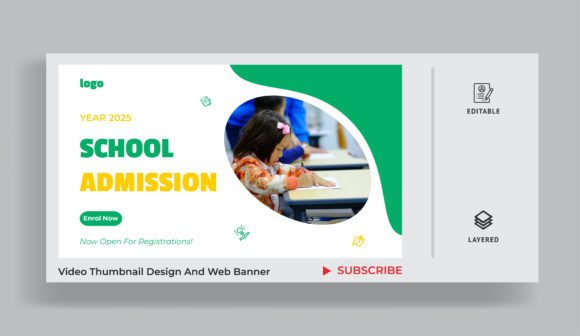
Effective Thumbnail design for any videography, particularly for school education admission videos, requires a deeper understanding of narrative hinting. The image must suggest motion, emotion, or value. A banner, however, relies more on clear calls-to-action (CTAs) and brand consistency. When utilizing templates for both, it is crucial to recognize that a one-size-fits-all approach rarely works. A template optimized for a wide horizontal banner may fail dramatically when cropped into the 16:9 aspect ratio required for most video players.
Template-Based Design vs. Custom Creation
When evaluating resources for visual marketing, institutions often face a choice between hiring professional designers for custom work or leveraging pre-made templates. Web Banner and Thumbnail Template Design offers a compelling middle ground. Templates provide a structured foundation that ensures visual consistency and adherence to design principles such as hierarchy, balance, and color theory. For schools with limited budgets or tight admission cycles, this efficiency is invaluable.
However, there are tradeoffs. Custom designs offer unique branding that can differentiate a school from its competitors. Templates, by definition, are available to others. The key to successful template usage lies in customization. A generic template used without modification can appear impersonal or low-effort. To mitigate this, educators should focus on templates that allow for significant flexibility in imagery and typography. The best templates act as a scaffold, not a cage, allowing the institution’s unique voice and student demographics to shine through.
Key Elements of Effective Admission Video Thumbnails
Creating a compelling thumbnail for an admission video involves more than just taking a screenshot. Research into viewer behavior suggests that specific elements drive higher click-through rates. When selecting or modifying a Thumbnail design for any videography focused on education, consider the following factors:
- Human Connection: Images featuring students’ faces, particularly those showing genuine emotion like joy, curiosity, or pride, tend to perform better. Prospective students want to visualize themselves in that environment.
- Clarity at Small Sizes: Thumbnails are often viewed on mobile devices. Text overlays must be large, bold, and minimal. Avoid cluttered backgrounds that obscure the focal point.
- Color Contrast: High-contrast colors help the thumbnail stand out against the white or dark backgrounds of video platforms. Using the school’s brand colors strategically can reinforce identity without overwhelming the viewer.
- Narrative Hint: The image should hint at the video’s content. If the video is about campus life, show a vibrant social scene. If it is about academic excellence, feature a focused study environment or a laboratory setting.
Comparing Approaches: Static Graphics vs. Dynamic Previews
While static thumbnails are the standard, some platforms now support animated previews or GIF-like loops. This introduces a new layer of complexity to Web Banner and Thumbnail Template Design. Animated thumbnails can capture attention more effectively but require more bandwidth and may not load instantly on slower connections. For admission videos, which often target a broad demographic including rural areas with varying internet speeds, static images remain the safer, more reliable choice. They ensure that the message is delivered consistently regardless of technical constraints.
Furthermore, web banners have evolved beyond simple static rectangles. Interactive banners and rich media ads offer engaging experiences but come with higher production costs and compatibility issues across different websites. For most educational institutions, a well-designed static banner that loads quickly and communicates clearly is more effective than a complex interactive element that might be blocked by ad blockers or fail to render correctly.
Decision Factors for Educational Institutions
Choosing the right design approach depends on several institutional factors. Schools should evaluate their current resources, target audience, and marketing goals. If the primary goal is brand awareness across multiple channels, a cohesive set of web banner templates ensures consistency. If the goal is to drive applications through detailed video content, investing time in optimizing individual video thumbnails is more impactful.
It is also important to consider the platform specifics. LinkedIn, Instagram, YouTube, and institutional websites all have different optimal dimensions and user expectations. A template library that includes variations for each major platform saves time and reduces errors. For example, an Instagram story banner requires a vertical layout, while a YouTube thumbnail is strictly horizontal. Using a flexible design system allows marketers to adapt core visuals across these formats without starting from scratch each time.
Common Pitfalls to Avoid
Even with high-quality templates, mistakes can undermine effectiveness. One common error is overcrowding the design. In an attempt to convey all the benefits of a school, designers may include too much text or too many images. This results in visual noise that confuses the viewer. Another pitfall is ignoring accessibility. Low contrast between text and background can make banners unreadable for users with visual impairments. Ensuring that Thumbnail design for any videography meets basic accessibility standards is not just a best practice; it is often a legal requirement for educational institutions.
Additionally, relying solely on stock photography can make admissions materials feel generic. While templates may include placeholder images, replacing them with authentic photos of actual students and campus locations builds trust and authenticity. Prospective students are savvy; they can distinguish between staged stock photos and genuine campus life. Authenticity resonates more deeply and leads to higher engagement rates.
Integrating Design into a Broader Strategy
Ultimately, Web Banner and Thumbnail Template Design should not be viewed in isolation. These visual assets are part of a larger funnel that guides prospective students from awareness to application. The banner attracts the initial interest, the thumbnail encourages the video view, and the video content itself provides the detailed information needed for decision-making. Consistency in visual language across all these touchpoints reinforces brand recognition and trust.
Institutions should regularly analyze performance metrics. Which thumbnails generate the most clicks? Which banners lead to the highest conversion rates on landing pages? A/B testing different design elements, such as headline phrasing or image selection, can provide valuable insights. Over time, this data-driven approach allows schools to refine their templates and design strategies, ensuring they remain effective in a changing digital environment.
By understanding the distinct roles of banners and thumbnails, recognizing the tradeoffs between templates and custom design, and focusing on authenticity and clarity, educational marketers can create compelling visual assets. These assets do more than just look good; they serve as powerful tools for communication, helping schools connect with the next generation of students in a meaningful and effective way.